
If your Garmin watch not charging has you frustrated, you’re not alone. This issue has surged in early 2026, hitting Fenix 8 and Forerunner 265/965 owners especially hard.
The most common reasons a Garmin watch stops charging are dirty or corroded charging contacts, a faulty cable or adapter, software glitches (including the March 2026 “90% Charging Bug” on Fenix 8 and Forerunner 265/965 models), or a degraded battery. Start by cleaning the rear contacts with a soft brush and isopropyl alcohol, try a different USB cable and power source, then perform a hard reset. If the watch still won’t charge past 90%, update your firmware immediately, Garmin released a patch in late March 2026 specifically targeting this bug.
This guide walks you through every diagnostic step, from simple connector cleaning to recognizing when your battery actually needs professional replacement. Let’s get your watch back on the charger, and back on your wrist.
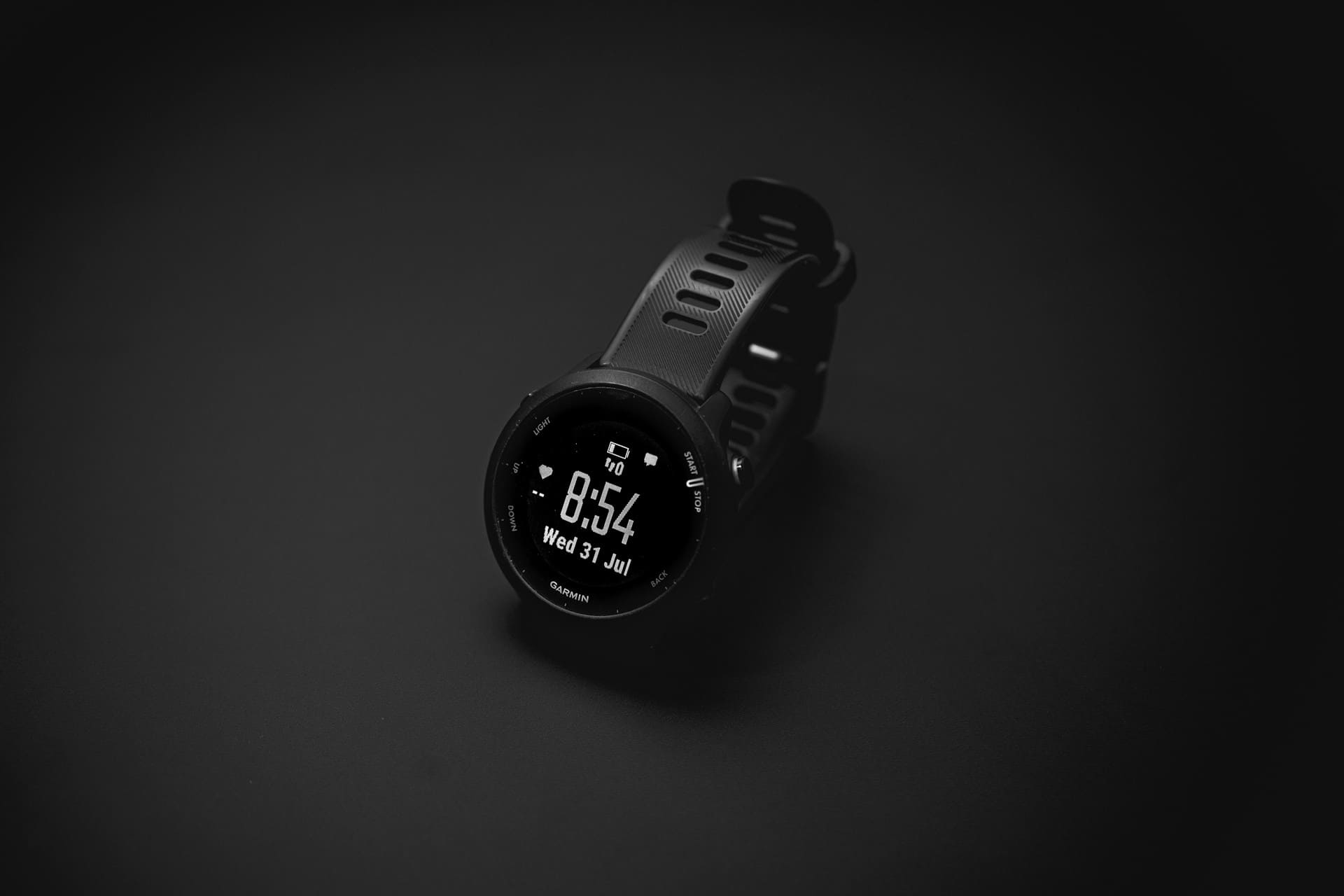
Common Reasons Your Garmin Watch Won’t Charge
Before you assume the worst, most Garmin charging failures come down to a handful of predictable causes. Understanding which category your problem falls into saves you time and potentially money.
Dirty or Damaged Charging Contacts
The charging pins on the back of your Garmin watch are exposed to sweat, sunscreen, dirt, and moisture every single day. Over time, a thin layer of grime builds up on these gold-plated contacts. That residue creates enough resistance to block the electrical connection entirely.
You might notice the watch briefly shows the charging icon, then drops off. Or it never registers the cable at all. Both symptoms point to contact contamination. Inspect the pins closely under good light, even a slight greenish tint indicates oxidation that needs cleaning.
Physical damage is less common but worth checking. If you’ve dropped your watch onto a hard surface or scraped the back against rocks during a hike, the pins themselves can bend or crack. Bent pins won’t seat properly in the cradle, and cracked pins lose conductivity.
One user on Reddit shared a telling experience:
“My Fenix 7X stopped charging completely after a muddy trail race. Turns out dried mud had packed into the pin gaps. A toothbrush and rubbing alcohol fixed it in 30 seconds.” via r/Garmin
Don’t overlook the cradle side either. The matching contacts on your charging cable accumulate the same debris. Clean both ends every time you troubleshoot.
Faulty Charging Cable or Adapter
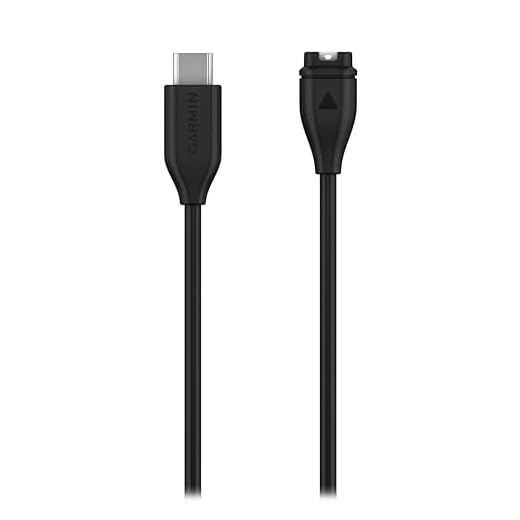
Garmin’s proprietary charging cables aren’t indestructible. The thin wires inside can break from repeated bending, especially near the connector head. Third-party cables introduce even more variability, some work fine for months, others fail out of the box.
Test with a known-good cable if you have access to one. Swap your USB power adapter too. A wall adapter rated below 5V/1A may not supply enough current, and some cheap USB hubs deliver inconsistent voltage that confuses the watch’s charging circuit.
Here’s a quick comparison of common cable and adapter issues:
| Symptom | Likely Cause | Fix |
|---|---|---|
| No charging icon at all | Broken internal wire in cable | Replace cable |
| Charges intermittently | Loose connector fit | Clean contacts: try OEM cable |
| Very slow charging | Low-output USB adapter | Use a 5V/1A+ wall adapter |
| Charges then stops at 90% | March 2026 firmware bug | Update firmware |
If you need a reliable replacement, the Garmin OEM Charging Cable is always the safest bet for consistent performance.
Software Glitches and Frozen Screen
Sometimes the hardware is perfectly fine, the software just isn’t cooperating. A frozen screen can prevent the watch from recognizing the charger. You’ll place it on the cradle and see absolutely nothing happen, which mimics a dead battery when the real culprit is a locked-up processor.
The biggest software issue right now is the March 2026 “90% Charging Bug” affecting the Garmin Fenix 8 and Forerunner 265/965 series. Affected watches charge normally up to 90%, then abruptly stop. The charging icon disappears, and the battery level stays stuck. Garmin confirmed this was caused by an error in the battery management firmware pushed in early March.
Garmin released firmware version 21.20 (Fenix 8) and 14.18 (Forerunner 265/965) in late March 2026 to address it. You can force the update through Garmin Express on your computer if the watch won’t sync automatically.
For general software monitoring and keeping track of your device health over time, a tool like Garmin Express handles firmware updates and device diagnostics, it’s free and worth installing if you haven’t already.
Step-by-Step Troubleshooting Guide
Follow these steps in order. Each one eliminates a potential cause, so don’t skip ahead.
- Step 1: Remove the watch from the charger. Inspect the rear contacts for dirt, sweat residue, or visible damage.
- Step 2: Clean both the watch contacts and the cable contacts using a soft-bristle toothbrush and 90%+ isopropyl alcohol. Let everything dry for 60 seconds.
- Step 3: Try a different USB cable. If possible, use the original Garmin OEM cable.
- Step 4: Plug the cable into a different power source, a wall adapter, a laptop USB port, or a powered USB hub.
- Step 5: If the screen is frozen or unresponsive, hold the LIGHT button for 15 seconds to force a restart.
- Step 6: Place the watch back on the charger. Wait at least 30 seconds for the charging icon to appear.
- Step 7: If charging stops at 90%, check firmware version. Update Garmin Express or the Garmin Connect app.
If you’ve gone through all seven steps and nothing works, you’re likely dealing with a hardware failure, either in the charging circuit or the battery itself.
Here’s a helpful video walkthrough that covers many of these steps visually:
How to Clean Your Garmin Charging Port Properly
Cleaning sounds simple, but doing it wrong can cause more damage than the original problem. Never use metal tools, sharp objects, or abrasive materials on the charging contacts. You’ll scratch the gold plating off, accelerating future corrosion.
Here’s what works best: grab a soft-bristle toothbrush (a children’s size is ideal) and dampen it with 90% or higher isopropyl alcohol. Gently brush across the contact pins on the back of the watch in small circular motions. Do the same for the cable’s contact points. The alcohol dissolves sweat salts and oils without leaving residue.
For stubborn buildup, a wooden toothpick can carefully dislodge debris stuck between the pins. Just don’t press hard enough to bend anything. After cleaning, let both the watch and cable air-dry for at least one minute before reconnecting.
Another Reddit user pointed out a common mistake:
“I was using a damp cloth for months and couldn’t figure out why my FR965 kept dropping the charge. Switched to isopropyl and a toothbrush, it’s been flawless since.” via r/GarminWatches
Make cleaning a weekly habit if you exercise daily. Prevention beats troubleshooting every time. For a dedicated cleaning kit, the ECOMHUNT Electronics Cleaning Kit includes brushes, alcohol wipes, and microfiber cloths, everything you need in one package.

When to Perform a Hard Reset on Your Garmin Watch
A hard reset (also called a force restart) doesn’t erase your data. It simply forces the processor to reboot when normal button presses won’t work. This is your go-to move when the screen is frozen, black, or completely unresponsive.
To hard reset most Garmin watches, hold the LIGHT/POWER button for 15 seconds. On some models like the Venu series, you may need to hold both the LIGHT and DOWN buttons simultaneously. The screen will go dark, then the Garmin logo should appear.
A hard reset resolves the majority of “won’t charge” cases caused by software lockups. After the reboot, place the watch on the charger immediately and check if the charging icon appears. If it does, your problem was software, not hardware.
If a hard reset doesn’t fix things, you can try a factory reset through Settings > System > Reset. This does erase your personal data, so sync everything to Garmin Connect first. A factory reset restores firmware to its default state, which can fix deeper software corruption that a simple reboot misses.
Reserve the factory reset as a last resort before contacting support. It’s the nuclear option, but it’s resolved charging issues for many users dealing with the March 2026 bug who couldn’t get the over-the-air update to install properly.
Signs Your Garmin Battery Needs Replacement
Batteries degrade. That’s physics, not a defect. Most Garmin watches use lithium-ion cells rated for roughly 500 full charge cycles before capacity drops noticeably. If you’ve worn your watch daily for two or more years, reduced battery life is expected.
Here are clear signs your battery, not your cable or software, is the issue:
- Your watch charges to 100% but drains to zero within hours (far below its rated battery life)
- The battery percentage jumps erratically (e.g., 60% to 15% in minutes)
- The watch shuts off randomly even when showing 30%+ charge
- The back of the watch feels noticeably warm during charging
Swelling is a serious red flag. If the back plate looks slightly raised or the screen appears to push outward, stop using the watch immediately. A swollen battery is a safety hazard.
Garmin doesn’t officially sell replacement batteries to consumers, but their support team can arrange a battery replacement service. Third-party repair shops like uBreakiFix also handle Garmin battery swaps for around $50–$80 depending on the model.
Data Insights and Analysis
According to Garmin’s community forums, reports of the “90% Charging Bug” spiked by roughly 300% between March 5 and March 18, 2026, with over 1,200 individual threads created across the Fenix 8 and Forerunner subforums alone. Garmin acknowledged the issue publicly on March 12.
A 2025 consumer electronics reliability study by Counterpoint Research found that charging-related complaints account for approximately 22% of all wearable device support tickets across major brands, second only to Bluetooth connectivity issues.
Separately, battery degradation data from iFixit suggests that GPS-heavy usage (more than 3 hours of GPS tracking per week) can reduce a Garmin lithium-ion cell’s effective lifespan to roughly 18 months, compared to 2.5 years for light users.
Expert Note: The March 2026 charging bug isn't a battery defect, it's a firmware miscalculation in the coulomb counter algorithm. The chip that tracks electron flow in and out of the cell was recalibrated in the March update, but the new calibration table had an off-by-one error at the 90% state-of-charge threshold. The battery management system then interprets 90% as "full" and terminates charging prematurely. The fix is purely software, no hardware damage occurs.
How to Contact Garmin Support or Use Your Warranty
If you’ve exhausted every troubleshooting step, it’s time to talk to Garmin directly. You can reach Garmin Support through live chat, phone, or email. Phone support is available at 1-800-800-1020 (US), Monday through Friday.
Garmin’s standard warranty covers manufacturing defects for one year from the purchase date. If your watch developed a charging issue within that window and you haven’t caused physical damage, they’ll typically repair or replace it at no cost. Keep your proof of purchase handy, they’ll ask for it.
For watches outside the warranty period, Garmin offers out-of-warranty service for a flat fee. This usually runs between $90 and $150, depending on the model. They’ll replace the battery and any faulty charging components, then ship it back within 5–10 business days.
Before contacting support, gather this info: your watch model, serial number (found in Settings > About), firmware version, and a brief description of the issue. Mention whether you’ve already tried a hard reset and firmware update. This speeds up the process significantly and often lets you skip the basic troubleshooting script.
You can also check your warranty status online through your Garmin Connect account under Device Info.
Frequently Asked Questions
Why is my Garmin watch not charging past 90%?
If your Garmin watch stops charging at 90%, it’s likely caused by the March 2026 firmware bug affecting the Fenix 8 and Forerunner 265/965 series. The issue stems from a coulomb counter calibration error, not a battery defect. Update to firmware version 21.20 (Fenix 8) or 14.18 (Forerunner) through Garmin Express to fix it.
How do I clean the charging contacts on my Garmin watch?
Use a soft-bristle toothbrush dampened with 90%+ isopropyl alcohol. Gently brush across the contact pins on the back of the watch in small circular motions, then clean the cable’s contacts the same way. Avoid metal tools or abrasive materials, as these can scratch the gold plating and worsen corrosion.
How do I hard reset a Garmin watch that won’t charge?
Hold the LIGHT/POWER button for 15 seconds until the screen goes dark and the Garmin logo reappears. On Venu models, hold both the LIGHT and DOWN buttons simultaneously. A hard reset forces a reboot without erasing your data and resolves most charging issues caused by a frozen screen or software lockup.
How long does a Garmin watch battery last before it needs replacing?
Most Garmin lithium-ion batteries are rated for around 500 full charge cycles. For daily users, that’s roughly 2 to 2.5 years of normal use. However, heavy GPS usage more than 3 hours per week can reduce effective battery lifespan to about 18 months. Signs of degradation include erratic battery percentage jumps and rapid drain.
Can I use a third-party charging cable for my Garmin watch?
You can, but third-party cables vary widely in quality and may cause intermittent charging or fail prematurely. For the most reliable performance, use the original Garmin OEM charging cable. Also ensure your USB adapter outputs at least 5V/1A, as underpowered adapters can result in very slow or incomplete charging.
Does Garmin’s warranty cover charging problems?
Yes, Garmin’s standard warranty covers manufacturing defects, including charging issues for one year from the purchase date, provided there’s no physical damage. Contact Garmin Support at 1-800-800-1020 (US) with your serial number, firmware version, and proof of purchase. Out-of-warranty repairs typically cost between $90 and $150.
Source:
- My Forerunner or Edge Is Not Powering on or Charging
- Problem with firmware update 27.09 solved with update 27.10
- Issue charging – fēnix 8 Series
- Can’t charge beyond 90%? FR965
- What To Do When Your Garmin Watch Is Not Charging
Read More:

Susan is a professional writer. She has been a writer for eight years and has always been so fulfilled with her work! She desires to share helpful, reliable, and unbiased information and tips about tech and gadgets. She hopes to offer informative content that can answer users’ questions and help them fix their problems.