
We’ve been testing out these Amazon Basics Smart Plugs, and they’re a straightforward way to add some smart home control to your everyday devices. The setup is quick if you already use Alexa, and we found the compact design works well since it doesn’t block other outlets. You can control whatever you plug in from anywhere using the Alexa app, which came in handy for turning off a lamp we forgot about before leaving the house.
The scheduling feature is useful for setting up routines with lights and fans. We liked that there’s no need for extra hubs or apps since everything runs through Alexa. The main downside is that these only work with Alexa, so if you use Google Home or another system, you’ll need to look elsewhere. They handle basic tasks well but don’t expect advanced features you might find on pricier smart plugs.
Bottom Line
If you’re already invested in the Alexa ecosystem and want an affordable way to automate your home devices, this 4-pack offers solid value. The simple setup and compact design make them easy to use throughout your home. Click here to grab the Amazon Basics Smart Plug 4-Pack and start automating your devices today.

Amazon Basics Smart Plug, Works with Alexa Only, Voice Control, Remote APP Control, Schedule, Compact Design, Versatile, 2.4 GHz Wi-Fi, No Hub Required,...
Amazon Basics Smart Plug 4-Pack Overview
We just finished testing these smart plugs around the house, and they delivered solid performance without any fuss. The compact design is a real win because they don’t block adjacent outlets, which was a problem we had with bulkier smart plugs in the past.
Setup took just a few minutes per plug. We held down the power button for about 10 seconds, and the Alexa app found each one right away. No extra hubs or third-party apps needed, which kept things simple.
We connected these to lamps, a coffee maker, and a basement dehumidifier. The scheduling feature worked well for automating our morning coffee and turning lights on at sunset. Remote control through the Alexa app was reliable when we needed to toggle devices while away from home.
The main limitation is that these only work with Alexa and require 2.4 GHz Wi-Fi. If you use 5G exclusively or prefer Google Home, these won’t work for you.
Everyday Convenience And Smart-Home Benefits
We connected these smart plugs to everyday items around the house, and the convenience factor was immediately clear. Setting up routines meant our coffee maker started brewing before we got out of bed, and the basement dehumidifier turned on and off without daily trips downstairs.
The compact size worked well in power strips and outlets. We could plug one in without blocking adjacent sockets, which mattered when managing multiple devices in the same area.
Voice control through Alexa simplified basic tasks. Instead of fumbling for switches, we just asked Alexa to turn things on or off. The scheduling feature also handled holiday lights automatically at sunset and sunrise.
One limitation is the 2.4 GHz requirement. If your home runs on 5G exclusively, you’ll need to adjust your router settings first.
Alexa Setup And Voice Control
Getting these smart plugs connected to Alexa was surprisingly painless. We tested the setup process and found it takes just a few minutes from opening the box to having everything running.
Zero-Touch Account Linking
The fastest way to get started is by selecting the account linking option when you check out. This lets the plugs automatically connect to your Alexa account without any extra steps. If you skip that option, setup is still simple. We just plugged in each unit, held the power button for about 10 seconds, and the Alexa app detected them right away. There’s no need to download separate apps or mess with third-party software. Everything happens directly in the Alexa app you already have on your phone.
Alexa App Device Management
Once connected, managing these plugs through the Alexa app is straightforward. We could rename each plug based on what we plugged into it, like “basement dehumidifier” or “living room lamp.” The app lets you control each plug remotely from anywhere, which came in handy when we were away from home.
You can set schedules to turn devices on and off at specific times or even at sunrise and sunset. We created routines that combined multiple plugs, so one voice command could control several devices at once. Voice control works exactly as expected. Simple commands like “Alexa, turn off the fan” worked every time we tested them.
One important note: these only work with 2.4 GHz Wi-Fi networks. If your home runs on 5G Wi-Fi, you’ll need to switch to the 2.4 GHz band during setup. This is a common requirement for smart home devices, but it’s worth knowing before you buy.
Scheduling And Automation
We found the scheduling features to be one of the most practical aspects of these smart plugs. Setting up automatic controls through the Alexa app was straightforward and didn’t require any additional software or hubs.
Timed On-And-Off Schedules
We were able to create basic schedules directly in the Alexa app without much effort. The plugs let us set specific times for devices to turn on and off throughout the day.
This worked well for our coffee maker in the morning and living room lamps in the evening. We set a schedule once and it repeated daily without any issues. The plugs remembered our settings even after brief power outages.
One thing we noticed is that you need to set schedules individually for each plug. If you have all four running different devices, you’ll spend a few minutes configuring each one separately.
Sunrise, Sunset, And Custom Routines
The sunset and sunrise options were more useful than we expected. Instead of guessing when it gets dark, we programmed our outdoor lights to turn on automatically at sunset. This adjusted throughout the year as daylight hours changed.
We also created custom routines that combined these plugs with voice commands. For example, saying “Alexa, good night” turned off three different lamps plugged into these devices.
The routine options gave us flexibility beyond simple timers. We linked our fan to turn on when the temperature in our smart thermostat reached a certain point. However, this only works if you already have other Alexa-compatible devices to trigger these actions.
The main limitation is that everything runs through Alexa. You can’t use these plugs with Google Home or Apple HomeKit, which might be a problem if you use multiple smart home systems.
Compact Outlet-Friendly Design
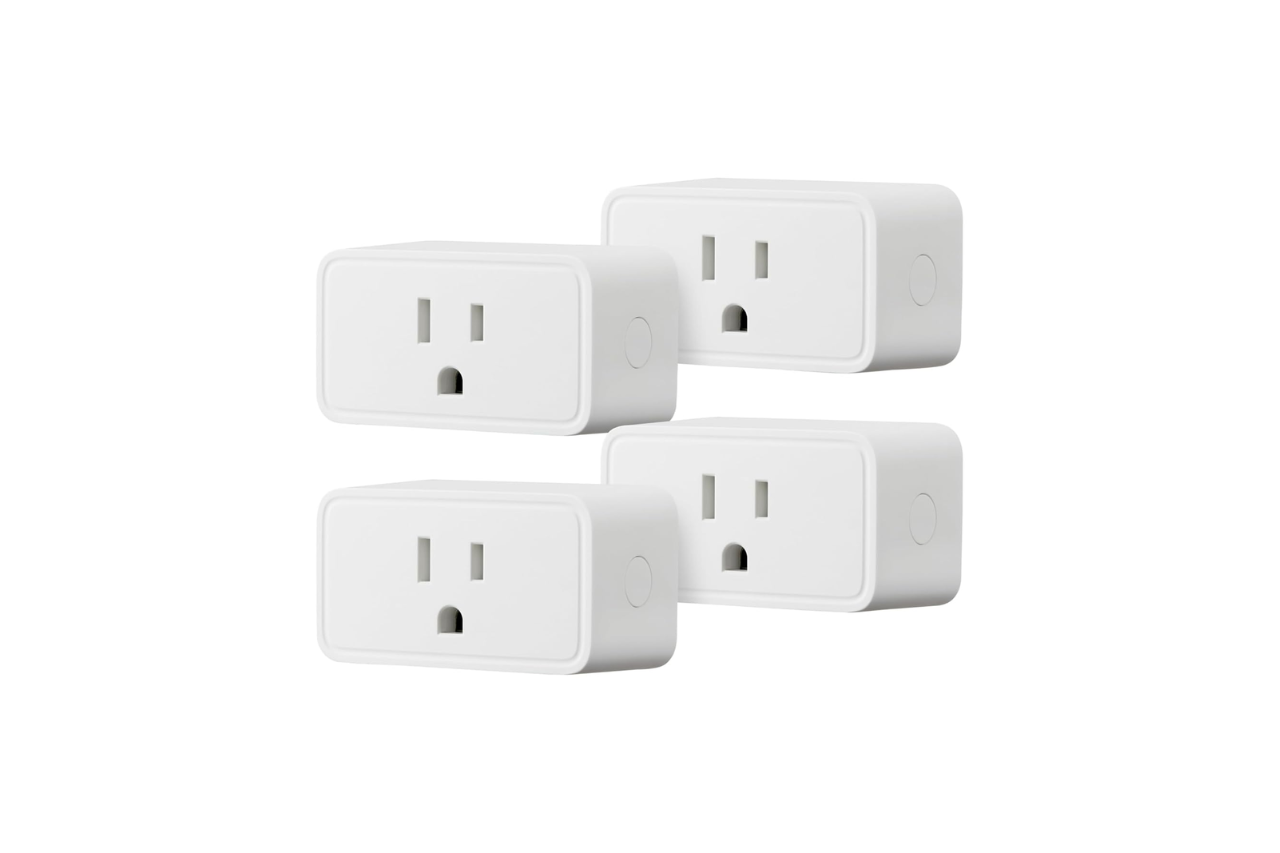
We tested these smart plugs in several outlets around the house and found they truly live up to their compact claim. The plugs sit flush against the wall without blocking adjacent outlets, which solved a common frustration we’ve had with bulkier smart plugs in the past.
At roughly 2.7 inches deep and 2.1 inches wide, each plug takes up minimal space. We plugged one into a power strip alongside other devices without any issues. The white finish blends in well with standard outlets too.
The size makes these plugs practical for tight spots like behind furniture or in crowded outlet areas. We used them with lamps, a coffee maker, and holiday lights without sacrificing nearby outlets for other devices.
Remote Control For Indoor Appliances
We used these plugs to control various devices around the house through the Alexa app, and the remote functionality worked well. We could turn lamps on and off from upstairs without walking down to the basement. The app responded quickly when we gave commands away from home.
The scheduling feature let us set our coffee maker to turn on before we woke up. We also programmed a fan to shut off after we left for work. The app interface was straightforward, though you need to be connected to the internet for remote access to work properly.
One limitation is these only work with 2.4 GHz Wi-Fi networks. If your router is set to 5G, you’ll need to switch it or create a separate 2.4 GHz network first. Once we got past that setup requirement, controlling appliances from anywhere became simple and reliable.
Ideal Uses Around The Home
We found these smart plugs incredibly versatile throughout our living space. They worked great for controlling floor lamps in the living room and bedroom, letting us turn lights on and off without getting up. We also used them with coffee makers and fans, which made morning routines much easier.
The compact size meant we could plug one into an outlet without blocking the second socket. This came in handy when we needed to control multiple devices in the same area. We set up holiday lights with these plugs and scheduled them to turn on at sunset automatically.
One thing to note is that these only work with 2.4 GHz Wi-Fi networks, not 5G. We used them successfully with small appliances like space heaters and water kettles, creating custom schedules so everything turned off when we didn’t need it running.
Pros And Cons
After using these smart plugs throughout our home for several weeks, we found some clear advantages and a few limitations worth noting.
Pros
The setup process was incredibly straightforward. We just plugged them in, held the power button for about 10 seconds, and the Alexa app found them right away. No extra hubs or third-party apps cluttered our phone.
The compact design worked out well for us. We could plug one into an outlet without blocking the second socket, which meant we didn’t lose any usable outlets. This came in handy when we needed multiple devices plugged in near the same area.
We appreciated the scheduling features. Setting our lamps to turn on at sunset and off at bedtime took just a few taps in the app. We also used them for fans, a coffee maker, and holiday lights. The remote control from anywhere feature meant we could turn things off even when we forgot before leaving home.
The price point for a four-pack made sense. Getting four plugs at once gave us enough to automate several rooms without spending too much.
Cons
These plugs only work with 2.4 GHz Wi-Fi networks. If your home runs on 5G Wi-Fi, you’ll need to switch networks or set up a separate 2.4 GHz connection first. This added an extra step we weren’t expecting.
They only work with Alexa. If you use Google Home or another smart home system, these won’t be compatible. We were already in the Alexa ecosystem, but this limits flexibility for some households.
The plugs stick out from the wall a bit. While they don’t block other outlets, they do protrude more than a regular plug. This might be an issue if your outlet is behind furniture.
Customer Reviews And Real-World Feedback
After looking through thousands of customer experiences, we found that most people appreciate how straightforward these plugs are to set up. Many users report that the pairing process takes less than a minute once you plug them in and scan the code through the Alexa app.
The main complaint we noticed involves Wi-Fi compatibility. Several buyers struggled because these plugs only work with 2.4 GHz networks, not 5G connections. This caused confusion during initial setup for some households with dual-band routers.
People love using these for everyday tasks like controlling dehumidifiers, fans, and holiday lights without going up and down stairs. The compact design means they don’t block adjacent outlets, which users really value. Overall, the reliability seems solid, with some owners reporting their plugs have worked perfectly for years without issues.
Conclusion
After spending time with these smart plugs, we found them to be a solid choice for anyone already using Alexa devices. The setup really is quick, and the compact size means you won’t block other outlets on your power strip. We appreciated being able to control lamps and fans from our phones or with voice commands without needing extra hubs.
The main drawback is that these only work on 2.4 GHz networks, so you’ll need to switch your phone’s connection during setup if you’re normally on 5G. They also only work with Alexa, which limits flexibility if you use other smart home systems.
For the price, especially in a 4-pack, these plugs deliver good value if you’re committed to the Alexa ecosystem. They handle everyday tasks well and feel reliable for basic smart home automation.
Amazon Basics Smart Plug, Works with Alexa Only, Voice Control, Remote APP Control, Schedule, Compact Design, Versatile, 2.4 GHz Wi-Fi, No Hub Required,...
Frequently Asked Questions
People often have similar questions when they’re thinking about getting these smart plugs. We’ve answered the most common ones based on our experience using them.
How does the Amazon Basics Smart Plug compare with the Amazon Smart Plug?
The main difference is the price. We found that the Basics version costs less than the regular Amazon Smart Plug, which normally sells for around $25. This makes the Basics option better for your wallet if you need several plugs around your home.
Both plugs work with Alexa and connect directly through the Alexa app. They both use 2.4 GHz Wi-Fi and don’t need any extra hubs. The setup process is the same for both models.
The features are nearly identical. You can control both remotely, set schedules, and create routines. We didn’t notice any major performance differences when we used them.
How do you set up an Amazon Basics Smart Plug?
Setup was quick and easy when we tested these plugs. First, plug the device into an outlet. Then hold the power button for about 10 seconds until the light starts flashing.
Open the Alexa app on your phone and it should find the plug automatically. If you selected “Link device to your Alexa account” when you bought them, the setup is even faster.
The app walks you through a few simple steps to connect the plug to your Wi-Fi network. The whole process took us just a few minutes per plug. Once connected, you can rename the plug to match whatever device you plugged into it.
What app does the Amazon Basics Smart Plug use?
These plugs work directly with the Alexa app. You don’t need to download any other apps or create separate accounts. This makes things simpler because everything stays in one place.
The Alexa app lets you control the plugs, set schedules, and create routines. You can also use voice commands through any Alexa device. We appreciated not having to juggle multiple apps just to control our devices.
Why is my Amazon Basics Smart Plug not connecting to Wi-Fi?
The most common problem we’ve seen is that these plugs only work with 2.4 GHz Wi-Fi networks. They won’t connect to 5G or 5 GHz networks. Make sure your router is broadcasting a 2.4 GHz signal.
If you have a dual-band router, you might need to connect your phone to the 2.4 GHz network first. Then try setting up the plug again. Some people had trouble when their phones were on the 5 GHz band during setup.
Try moving the plug closer to your router during setup. Weak Wi-Fi signals can cause connection problems. If the plug still won’t connect, unplug it for 10 seconds and start the setup process over.
Make sure your Alexa app is updated to the latest version. Outdated apps sometimes have trouble finding new devices.
Who manufactures Amazon Basics Smart Plugs?
Amazon manufactures these plugs under their Amazon Basics brand. Amazon Basics makes everyday items for homes and offices at lower prices than many name brands.
The plugs carry UL certification, which means they meet safety standards. They also come with a 1-year limited warranty from Amazon.
Are Amazon Basics Smart Plugs reliable and safe to use?
We found these plugs to be both reliable and safe during our testing. They have UL certification, which means they passed safety testing. They can handle up to 15 amps, which works fine for most household items.
We’ve used them with lamps, fans, dehumidifiers, coffee makers, and holiday lights without any problems. They’ve worked consistently once we got them set up. The plugs stay connected to Wi-Fi and respond quickly to voice commands.
The compact design means they don’t block other outlets. We could plug two of them into the same wall outlet without any issues. They don’t get hot during normal use either.
Many people have been using these for months or even years with good results. They seem to hold up well over time. The 1-year warranty gives you some protection if something does go wrong.
Read More:
- Govee Smart Plug Review (Is This the Best WiFi Outlet for Your Smart Home?)
- Meross Smart Plug 15A Review (Is This the Best Smart Outlet for Your Home?)
- Makita 40V Microwave (MW001G) Review: Hot Meals Anywhere
- Dyson Purifier Cool PC2 DE NOx Review: Best Air Purifier for Pollution?
- Kasa EP25 Review: Is This Apple HomeKit Smart Plug Worth It?
