
Looking for an easy way to make your home a little smarter without spending too much? I recently tested out the GHome Smart Plug, and it’s a solid option if you want basic smart home control without any complicated setup. This plug works with both Alexa and Google Home, so you can control your devices with simple voice commands.
The setup process was straightforward, and the improved WiFi connection stayed stable during my testing period. You can control whatever you plug into it from anywhere using your phone, which is handy when you’re away from home. The scheduling feature works well for things like lamps or fans, letting you set them to turn on and off automatically.
One thing to keep in mind is that it only works with 2.4GHz WiFi networks, not the newer 5GHz ones. You’ll also need to connect it to the GHome app first before you can use it with Alexa or Google Assistant, which adds an extra step.
Bottom Line
The GHome Smart Plug offers good value if you want affordable smart home control with reliable performance. It handles basic automation tasks well and works smoothly with voice assistants once you get it set up. Click here to get the GHome Smart Plug and start automating your home devices today.

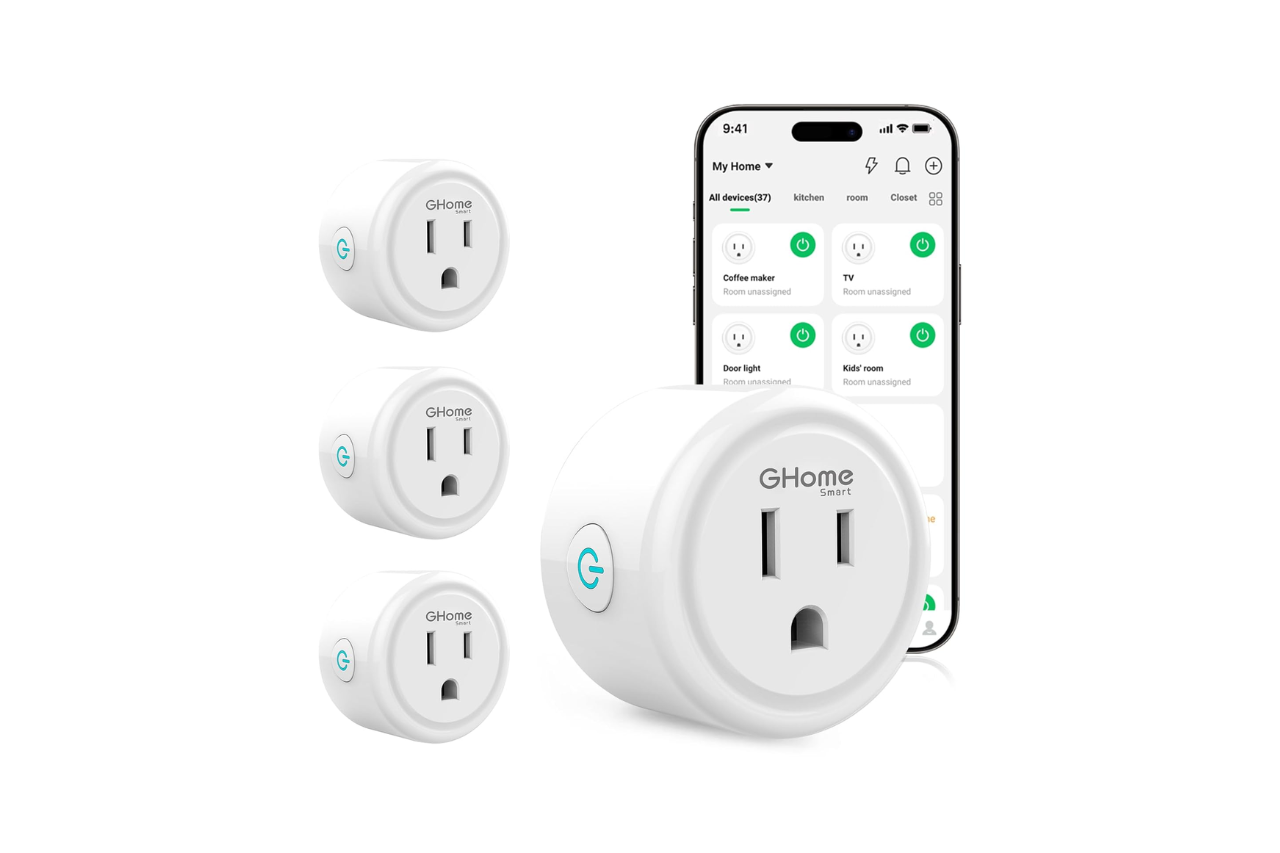
GHome Smart Plug, WiFi Smart Plugs Work with Alexa and Google Home, Smart Outlet Timer with APP Remote Control, 2.4GHz Wi-Fi Only, No Hub Required, ETL FCC...
GHome Smart Plug Overview
After testing these plugs for a few weeks, the standout feature is how quickly they connect to your network. You get both Bluetooth and WiFi setup options, which makes the initial pairing much faster than older smart plug models. The connection stays solid as long as you have a decent 2.4GHz network.
You can control these plugs three different ways: through the app, with voice commands via Alexa or Google Assistant, or by tapping the button on the plug itself. The scheduling feature works well for setting up automatic on and off times for things like lamps or fans.
Each plug handles up to 1200 watts and 10 amps, which covers most household devices. The compact design doesn’t block your other outlet, and you can group multiple plugs together to control several devices at once. Keep in mind you need to set up the GHome app first before linking to Alexa or Google Home.
Everyday Convenience And Energy-Saving Potential
I tested these smart plugs for a few weeks on different devices around my home. The ability to control outlets remotely and set up automatic schedules makes daily life noticeably easier.
Remote Control Away From Home
You can manage your connected devices from anywhere using the GHome app on your phone. This feature came in handy when I wanted to check if I turned off my space heater before leaving for work.
The app works with your 2.4GHz WiFi network to give you full control over whatever you plug in. I used it to turn on a lamp before getting home in the evening. The connection stayed stable during my testing, and commands went through quickly without delays.
One user mentioned using it for a waxing machine at their salon. They no longer had to worry about whether they turned off the equipment at the end of the day.
Automated Routines For Daily Appliances
The timer and scheduling features help cut down on wasted energy. You can set your devices to turn on and off at specific times each day or week.
I programmed a fan to turn off after two hours and set a lamp to turn on at sunset automatically. The schedule options in the app are straightforward to use. You can create different routines for weekdays and weekends.
People have used these plugs successfully with terrariums, fish tanks, coffee makers, and Christmas lights. The automatic on/off cycles mean devices only run when you actually need them. This reduces your electric bill over time.
The group control feature lets you manage multiple plugs at once. You can turn off several devices with one tap instead of controlling each plug individually. Your family members can also access the plugs through the app if you share control with them.
Smart Control Features
The GHome plug connects to your existing 2.4GHz WiFi network without needing an extra hub. You can link it up through either Bluetooth or WiFi during setup. The connection stays pretty solid once you get it running on a stable network. Just keep in mind that it won’t work with 5GHz networks.
Alexa And Google Assistant Voice Control
You can control the plug by talking to Alexa or Google Assistant after you set everything up. The voice commands work for basic tasks like turning devices on and off. You do need to connect the plug to the GHome app first before it will respond to your voice assistant. Once that’s done, you can ask Alexa or Google to control whatever you have plugged in without getting up.
App-Based Device Management
The plug works with three different apps: GHome, Smart Life, and Tuya. You can monitor and control your devices from anywhere as long as you have internet access. The app lets you turn things on and off remotely, which comes in handy when you’re away from home. The interface is straightforward enough that you won’t spend much time figuring out how to use it.
Schedules, Timers, And Randomized Automation
Setting up schedules through the app is simple. You can program the plug to turn on and off at specific times each day. The timer function lets you set how long something runs before it shuts off automatically. There’s also a random mode that changes when devices turn on and off, which is useful if you want to make it look like someone’s home. This works well for things like lamps, fans, and other everyday items that you want to run on a schedule.
Group Control And Household Sharing
You can bundle multiple plugs together into groups and control them all at once with one tap. This saves time if you want to turn off several devices in the same room or area. The sharing feature lets you give other people in your household access to control the plugs through their own phones. Everyone you share with can use the same controls and schedules you set up.
The control options give you flexibility in how you manage your devices. Voice control works well for quick commands, while the app is better for detailed scheduling. The group and sharing features are practical if you have multiple plugs or other people who need access.
Setup And Network Requirements
Getting these smart plugs up and running was simpler than expected. The process doesn’t require any technical expertise or special equipment beyond what you already have at home.
Bluetooth Or 2.4 GHz Wi-Fi Connection
You’ll need a 2.4GHz Wi-Fi network to use these plugs. The 5GHz band won’t work, so you’ll want to check your router settings before you start. If you have a dual-band router, make sure you’re connecting to the correct network during setup.
The plugs offer two connection methods: Bluetooth or Wi-Fi. The Bluetooth option provides an alternative setup path if you’re having trouble with the standard Wi-Fi pairing. This dual approach makes the initial connection more flexible than some competing smart plugs.
Once connected, the Wi-Fi technology keeps the plugs stable on your network. You won’t need to worry about constant reconnections or dropouts, even if your Wi-Fi signal isn’t the strongest in certain areas of your home.
No-Hub Installation Process
You can set up these plugs without buying any additional hub or bridge device. This saves you money and reduces the number of gadgets you need to manage.
The installation works through a smartphone app. You’ll scan a QR code on the plug or manual, and the app walks you through the rest. The whole process takes less than a minute per plug.
You have three app options: GHome App, Smart Life App, or Tuya App. Any of these will work with the plugs. After you connect the plugs to your network through one of these apps, you can then link them to Alexa or Google Assistant for voice control. You can’t connect directly to Alexa or Google Home without completing the app setup first.
Safety, Capacity, And Best-Fit Uses
After testing this plug with various devices, you need to understand its limits before plugging anything in. The unit meets ETL and FCC safety standards, which means it passed basic electrical safety tests. It has an IP40 rating that protects against solid objects larger than 1mm but offers no water resistance.
1200-Watt And 10-Amp Electrical Limits
The plug handles up to 1200 watts and 10 amps at 120 volts. This works fine for most household items, but you can’t use it with high-draw appliances.
You can safely use it with lamps, phone chargers, fans, and coffee makers. Several users reported success with wax warmers, aquarium lights, and small space heaters. One person uses it with their crested gecko terrarium lighting without issues.
Don’t plug in hair dryers, space heaters over 1200 watts, air conditioners, or kitchen appliances like toasters and microwaves. These devices pull too much power and could overheat the plug or trip your circuit breaker.
Suitable Appliances And Room Ideas
The plug works best for devices you want to control on a schedule or turn off remotely. Users have successfully set it up in salons for waxing machines, greenhouses for grow lights, and bedrooms for lamps.
It performs well with fish tank equipment and e-bike chargers based on user experiences. The scheduling feature helps with terrariums and aquariums where you need consistent light cycles. You can also use it in kitchens for coffee makers that lack built-in timers.
The small size means it fits behind furniture without blocking the second outlet on your wall plate. This makes it practical for floor lamps and bedroom fans. Just remember it needs a stable 2.4GHz WiFi signal to work properly, so avoid using it in areas with weak connectivity.
Pros And Cons
After testing these smart plugs over the past few weeks, you’ll find they offer solid value with a few trade-offs worth considering.
Pros
Easy Setup Process
You won’t struggle with installation. The plugs connect to your network quickly, usually within seconds. The QR code scanning makes pairing with the app almost instant. You don’t need to read through lengthy instructions.
Reliable Connection
The improved WiFi technology keeps your devices connected without constant dropouts. Even if your router signal isn’t the strongest, these plugs maintain their connection well. You won’t deal with frustrating disconnections that plague some cheaper alternatives.
Multiple Control Options
You get flexibility in how you manage your devices. Voice commands through Alexa or Google Assistant work smoothly. The app control lets you turn things on or off from anywhere. You can also use the physical button when needed.
Good Scheduling Features
The timer and schedule functions work well for everyday tasks. You can set up recurring schedules or random patterns. This helps with things like gecko terrarium lights, wax warmers, or coffee makers that lack built-in timers.
Helpful Grouping Options
You can control multiple plugs at once through groups. Sharing access with family members through the app is straightforward too.
Cons
2.4GHz WiFi Only
You must use a 2.4GHz network, which means switching your phone’s settings during setup if you normally use 5GHz. This extra step can be annoying.
App Limitations
The app struggles when you create too many complex schedules. If you plan elaborate automation routines, you might hit some performance issues.
Extra Setup Step for Voice Control
You can’t connect directly to Alexa or Google Home. You need to set up the app and network connection first, then link your voice assistant. This adds an extra layer to the initial setup process.
Customer Reviews And Real-World Reliability
People seem genuinely happy with how these smart plugs perform in daily use. You’ll find users running everything from salon equipment to gecko terrariums without issues. The setup process takes less than a minute for most people, and the WiFi connection stays solid even in spots with weaker signals.
The scheduling features work well for straightforward tasks like turning lights on and off or managing coffee makers in the morning. A few users mentioned the app can struggle if you create overly complex schedules, but basic automation runs smoothly.
Common Uses That Work Well:
- Reptile tank lighting
- Fish tank equipment
- Coffee makers and small appliances
- Workshop tools and chargers
You won’t need to worry about connections dropping once everything is set up. The plug works reliably with both Alexa and Google Home voice commands.
Conclusion
After spending time with these smart plugs, they offer solid value for basic automation needs. You get reliable WiFi connectivity on the 2.4GHz band, and the setup process takes less than a minute with the app. The voice control through Alexa and Google Home works without issues once you connect everything properly.
The scheduling features are useful for lights, fans, and small appliances. You can create timer routines that actually stick and don’t require constant adjustment. However, the app can get clunky if you try to set up too many complex schedules at once.
These plugs handle everyday tasks well, from turning lamps on and off to controlling terrariums and humidifiers. They stay connected even with weaker WiFi signals. At this price point, you’re getting a dependable smart plug that does what it promises without unnecessary complications.
GHome Smart Plug, WiFi Smart Plugs Work with Alexa and Google Home, Smart Outlet Timer with APP Remote Control, 2.4GHz Wi-Fi Only, No Hub Required, ETL FCC...
Frequently Asked Questions
People often have questions before buying smart plugs, and these are the most common ones that come up with this product.
Are GHome smart plugs reliable and worth buying?
Based on real-world use, these plugs work well and stay connected to your network. They don’t drop their connection often, even if your Wi-Fi signal isn’t the strongest in every part of your home.
The plugs handle daily tasks without issues. You can count on them to turn devices on and off when scheduled. They’re built with ETL and FCC safety certifications, which means they meet basic electrical safety standards.
For the price, you get a reliable smart plug that does what it promises. They work with common devices like lamps, fans, humidifiers, and space heaters up to 1200 watts. If you need a basic smart plug without extra features you won’t use, these are a solid pick.
How do you set up a GHome smart plug with the app?
Setting up these plugs takes less than a minute in most cases. You plug the device into your wall outlet and scan the QR code with your phone. The app walks you through the rest of the steps.
You need to download the GHome app, Smart Life app, or Tuya app on your phone first. All three apps work with these plugs, so you can pick whichever one you prefer. The plug can connect through Bluetooth or Wi-Fi during setup, which makes the process faster than older smart plugs.
Make sure your phone is connected to your 2.4 GHz Wi-Fi network before you start. The app will find the plug quickly and add it to your account. You can name the plug whatever you want to make voice commands easier later.
Do GHome smart plugs work with Alexa and Google Assistant?
These plugs work with both Alexa and Google Assistant after you set them up. You can’t connect them directly to Alexa or Google Home without the app first. You need to add the plug to the GHome app, then link that app to your Alexa or Google account.
Once everything is connected, voice control works well. You can tell Alexa or Google to turn specific devices on or off by name. The response time is quick, and the commands work consistently.
The voice control makes daily tasks easier. You can turn off your bedroom lamp without getting out of bed or turn on a fan from across the room. It handles basic commands without any problems.
Can GHome smart plugs connect to a 5 GHz Wi-Fi network?
These plugs only work with 2.4 GHz Wi-Fi networks. They will not connect to 5 GHz networks at all. This is the biggest limitation of the product.
Most modern routers broadcast both 2.4 GHz and 5 GHz signals. You need to make sure your phone connects to the 2.4 GHz network during setup. Some routers combine both frequencies under one network name, which can make setup confusing.
If your router uses the same name for both frequencies, you might need to split them into separate network names or temporarily disable the 5 GHz band during setup. Once the plug is connected to 2.4 GHz, it stays connected and works fine.
Are GHome smart plugs compatible with Home Assistant?
The plugs work with the Tuya app, which means they should connect to Home Assistant through the Tuya integration. Home Assistant users typically have success adding Tuya-compatible devices to their setup.
You’ll need to set up the Tuya integration in Home Assistant first. This requires adding your Tuya account credentials and setting up the proper configuration. The process takes a bit of technical knowledge if you haven’t done it before.
After the integration is working, you can control these plugs through Home Assistant just like any other smart device. You can add them to automations and scenes. The plugs respond to commands quickly enough for most home automation tasks.
How do GHome smart plugs compare with Kasa smart plugs?
Both brands make reliable smart plugs that handle basic tasks well. The GHome plugs cost less than most Kasa models, which makes them better if you need several plugs for your home.
Kasa plugs use their own app, while GHome plugs work with the Tuya ecosystem. The Tuya system supports more third-party devices, but Kasa’s app is often more polished and easier to use. Both brands work with Alexa and Google Assistant equally well.
The GHome plugs connect faster during initial setup because they support Bluetooth pairing. Kasa plugs are slightly smaller in some models, which helps if you need to fit two plugs in a duplex outlet. Both handle the same 1200-watt maximum load, so power capacity is identical.
Read More:
- Amazon Basics Smart Plug Review (Is This the Best Budget Smart Plug?)
- Meross Smart Plug 15A Review (Is This the Best Smart Outlet for Your Home?)
- Govee Smart Plug Review (Is This the Best WiFi Outlet for Your Smart Home?)
- Dyson Purifier Cool PC2 DE NOx Review: Best Air Purifier for Pollution?
- Kasa EP25 Review: Is This Apple HomeKit Smart Plug Worth It?

Susan is a professional writer. She has been a writer for eight years and has always been so fulfilled with her work! She desires to share helpful, reliable, and unbiased information and tips about tech and gadgets. She hopes to offer informative content that can answer users’ questions and help them fix their problems.